–

We are given a zip file containing the repo mentioned in the description.
The interesting part of the description is:
Never committed is not the same as never there.
From this, I thought the developer might have added the token to a file, staged it using git add ., and then deleted the file before committing.
If that’s what happened, the file wouldn’t be present in the repository anymore. But I wasn’t sure whether Git would still have the contents.
So let’s try it with a demo repo first.
I created a repo.
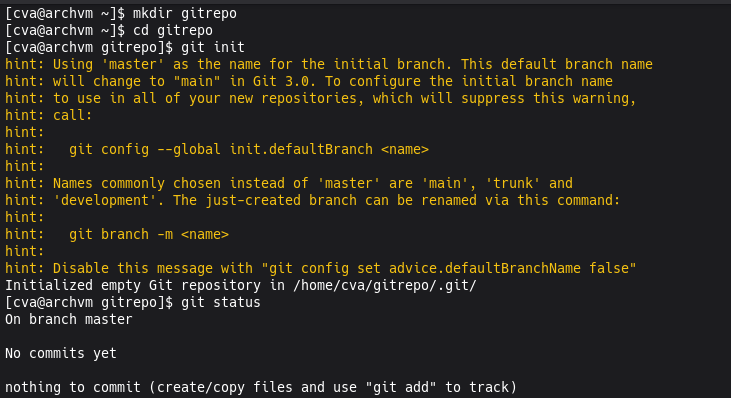
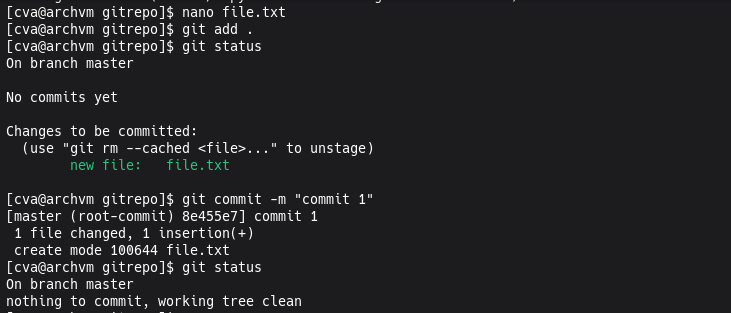
Added a file and committed it.
Then I created a .env file, staged it using git add, deleted it, and committed another file.
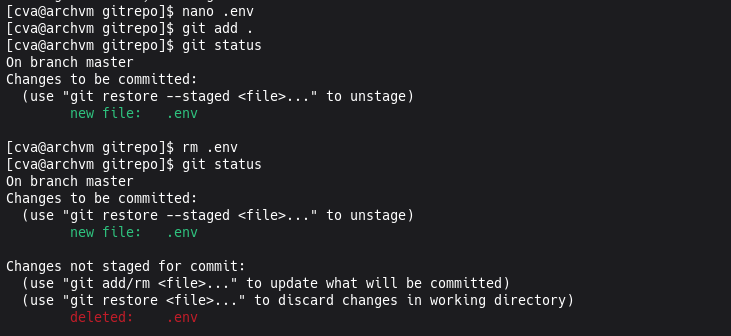
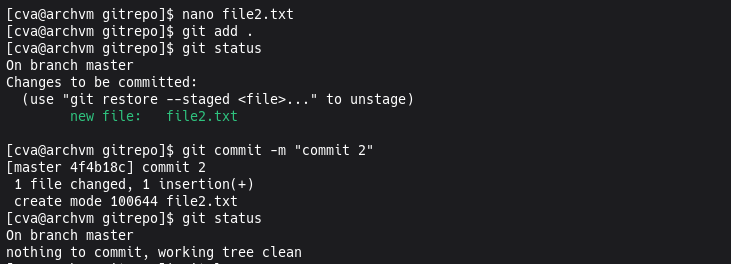
Now .env is not in the repository files.
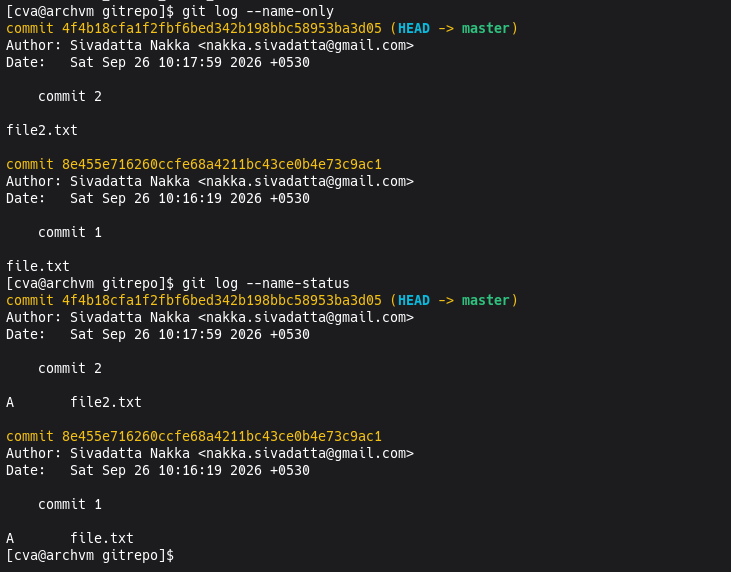

But when a file is staged, Git stores its contents as a blob object inside its object database.
Normally, when we commit the file, the commit will reference that blob. But here we deleted the file before committing it, so there is no commit pointing to that blob.
So the blob becomes unreachable.
The interesting question is: is it actually gone?
Let’s check.
1 | git fsck --unreachable |
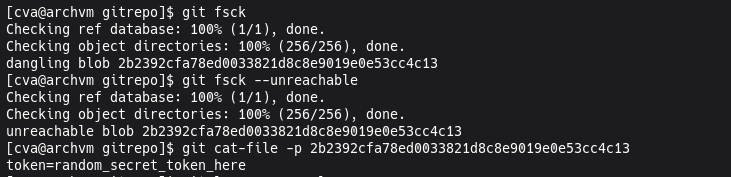
And we can see an unreachable object.
Now let’s print its contents:
1 | git cat-file -p <object_hash> |
And there is the content of the .env file.
So the file is gone from the repository, but its contents are still sitting inside Git’s object database.
Now let’s do the same thing with the actual challenge repo.
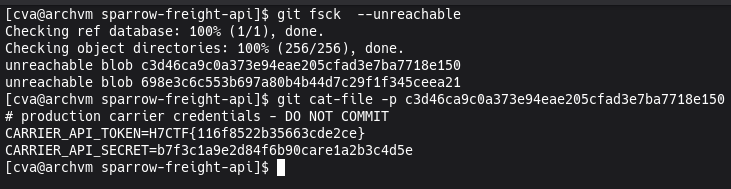
Run:
1 | git fsck --unreachable |
Find the unreachable object and print it:
1 | git cat-file -p <object_hash> |
And…
Got the flag :)
Can we completely remove that unreachable data?
Yes. Git can eventually remove unreachable objects during garbage collection.
For example:
1 | git gc --prune=now |
This prunes unreachable objects that are eligible for removal.
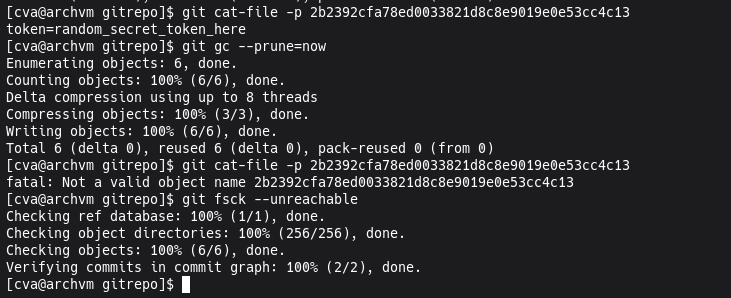
Now we’re not leaving any secrets behind :)